












Image Stream Widget
Back to All Guides
GET IN TOUCH
If you would like to get further information about Frog or help in getting it set up in your school please get in touch via the contact details below...
hello@frogeducation.com
Image Stream Widget
The Image Stream Widget displays a collection of images on your Frog site.
Image Stream Widget
The Image stream widget displays a collection of images that have been sent to a Frog site via FrogDrive or from the FrogSnap app. The Image stream widget has been introduced to work along side the Site Timeline widget.
The Image stream widget allows the sharing of photos with students, staff, parents and caregivers when placed on a site displays photos in a gallery view. This feature could be used for school trips, local sports day events, class exercises and to showcase work produced in classes.
Advanced settings
In the Edit panel, you can add tags to the Image stream widget so it only shows images with that tag. Leave the Tags field blank to show all images sent to that Frog site.
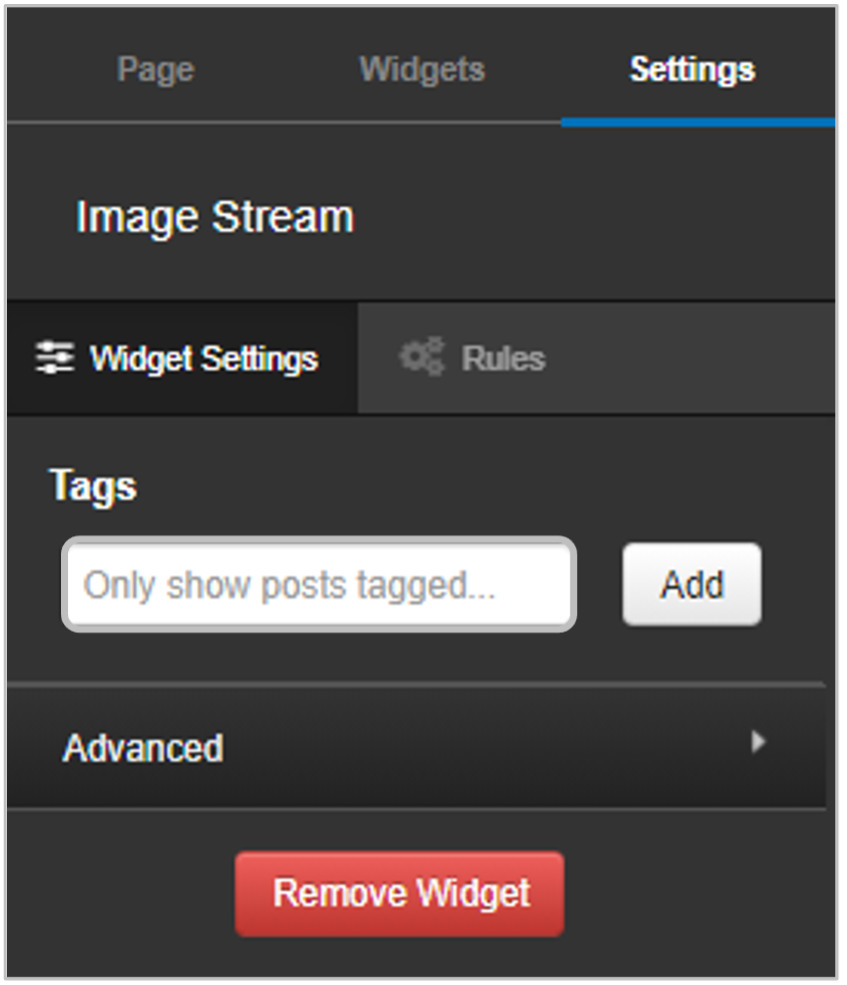
Select Save changes and close the Edit panel.
Use FrogSnap to capture photos, whether it is for extra-curricular activities or to evidence learning, and upload directly to Image stream.