












Timetable Widget
Back to All Guides
GET IN TOUCH
If you would like to get further information about Frog or help in getting it set up in your school please get in touch via the contact details below...
hello@frogeducation.com
Timetable Widget
Displays your timetable.
Timetable Widget
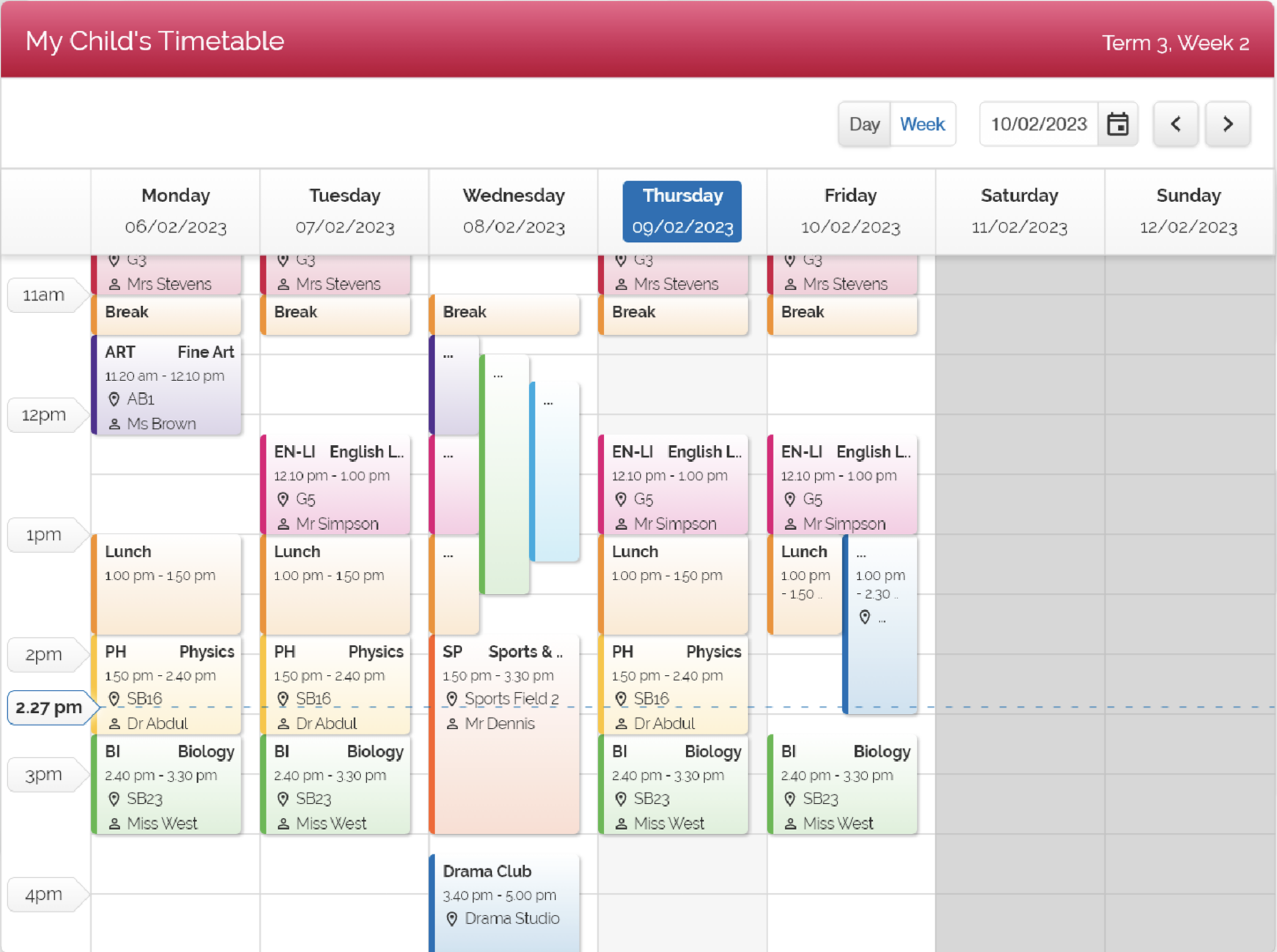
The Timetable widget allows you to see your timetable, or the timetable of another user in from within the Frog platform.
The timetable widget displays the users' timetable for a given week or a given day.
To view different days of the week, elect the appropriate day from the menu bar.
You can use the > button to move forward a week and the < option to move back.
Improvements to the timetable widget
The new timetable widget improves upon the functionality of the previous timetable widget in the following areas:
- Displays non-teaching days or public holidays occurring within a term
- Displays non-teaching session such as recess, lunch, school assembly etc
- Displays events (set within the CES admin module)
- Shared teaching classes now display in both teacher timetables
- Relief teachers can now see sessions/lessons assigned to them in the daily organisation module in school admin
- Fixes an issue where incorrect subjects may display in the final week of the rotation of elective subjects.