












RSS Widget
Back to All Guides
GET IN TOUCH
If you would like to get further information about Frog or help in getting it set up in your school please get in touch via the contact details below...
hello@frogeducation.com
RSS Widget
The RSS widget allows you to add an RSS feed from an external website, embedding it within a page.
RSS Widget
The RSS widget allows you to add an RSS feed from an external website, embedding it within a page.
RSS feeds are generally used to publish frequently updated items, for example blog entries or news headlines, in a standardised format.
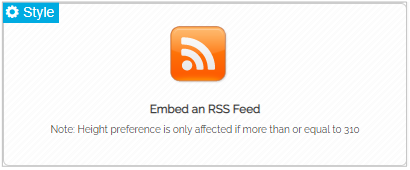
When in Edit mode the widget will not display your RSS feed entries. Instead it will display the following place holder.
Advanced settings
Enter the RSS URL in the Enter URL text input field. The URL for a feed can usually be found from the provider of the feed. The RSS icon located near a feed on a website will usually take you to the URL for the feed.
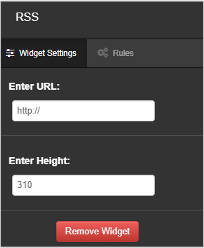
RSS feeds usually contain a number of items. Use the Enter height option to control the amount of space a feed takes up in a column. The default and minimum height is 310. If you wish to increase the space used by the RSS feed, enter a higher value. If an RSS feed greater than 310 is taking up too much room, decrease the value.