












Poll Widget
Back to All Guides
GET IN TOUCH
If you would like to get further information about Frog or help in getting it set up in your school please get in touch via the contact details below...
hello@frogeducation.com
Poll Widget
The Poll widget is a useful tool to quickly and simply survey individuals.
Poll Widget
The Poll widget is a useful tool to quickly and simply survey individuals. You can either import an existing poll or create a new one from the editing panel.
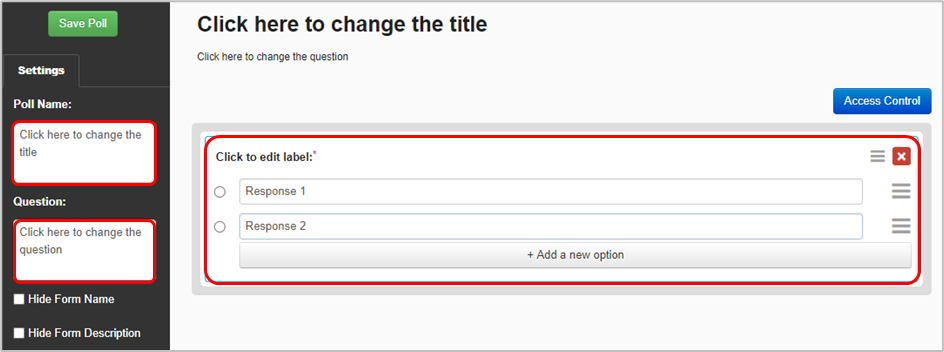
If you select New poll, a window opens to create a poll. Use the Edit panel to enter the Poll name and Question. Select the Edit label section to enter the poll response options. Select Add a new option to add additional response options if required.
You also have the option to edit a poll you are already using, which means you can refine it if necessary in the future.
You can also reset the poll from within the editing panel once the poll has one or more submissions. This permanently deletes all the data collected. Note: With the correct permissions, you can view all poll submissions or export them via the Data viewer application. The data can also be downloaded to a CSV using the Action cog from the Data viewer widget.