












Back to All Guides
GET IN TOUCH
If you would like to get further information about Frog or help in getting it set up in your school please get in touch via the contact details below...
hello@frogeducation.com
Mark Scheme Manager
The Mark scheme manager allows users to define a set of grades and associated scores for educators to use when marking assignments.
Creating a Mark Scheme
A mark scheme allows you to define a set of grades and associated scores for teaching staff to use when marking assignments. You can create new mark schemes and switch off / delete old ones from within the Mark scheme manager application.
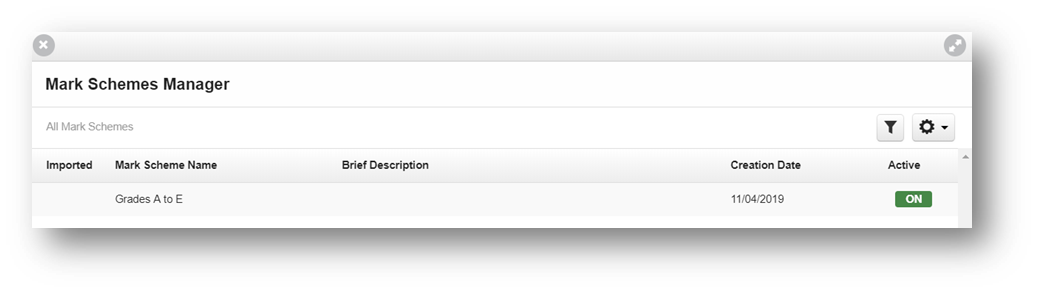
To create a new mark scheme, simply navigate to the Mark scheme manager application in Quick launch and select the New mark scheme button. You can then enter the details of the new mark scheme and add your grades and values. To add new grade levels, use the Add grade level button. Complete the Mark scheme name and description field.
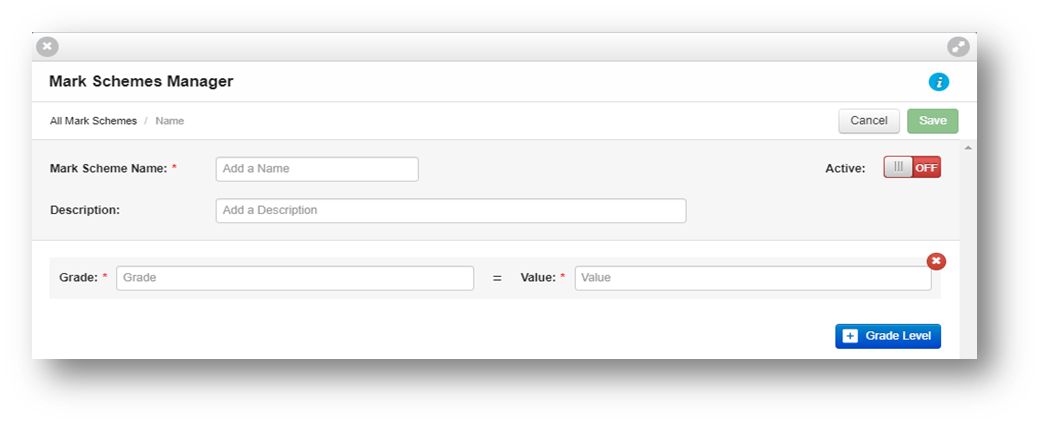
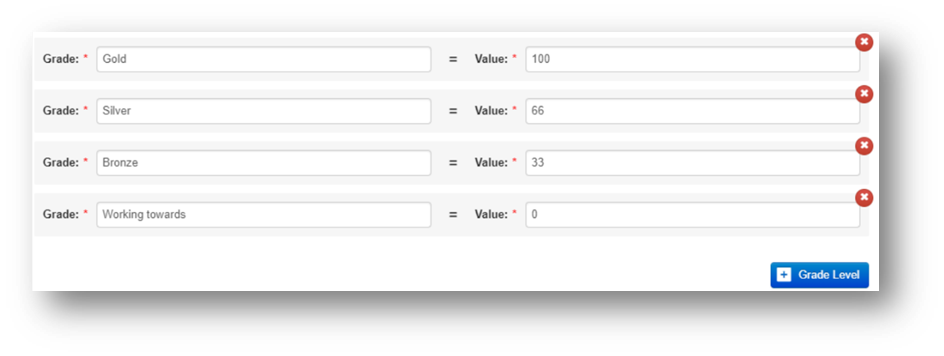
From here, add the specific grades and then add the corresponding values. These values must be values from 0 to 100 (equivalent to a percentage for each grade).
To activate or deactivate a mark scheme, simply toggle the On or Off button when creating it. You can always change this setting in the future when editing the mark scheme. Select the green Save button in order to save the changes made to the mark scheme.
Duplicating a Mark Scheme
To duplicate a mark scheme, simply select it and from the Action cog, select the Duplicate option.
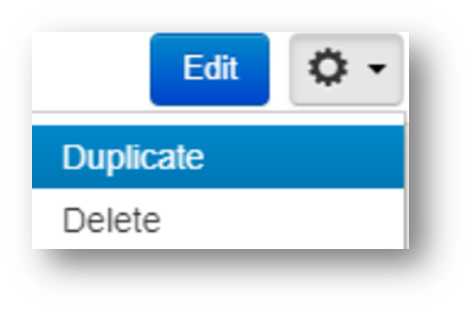
This will create a copy of the original mark scheme which you can then edit if necessary.
Editing and Setting
When in the Mark scheme manager application, choose the mark scheme you want to edit by selecting it and then select the Edit button.
From here, you can edit the details of the mark scheme, add or remove grades and values and you can toggle whether the mark scheme is active or not.
Note: Ensure to select the green Save button in order to save the changes made to the mark scheme.
Exporting
You can export a list of all your mark schemes at any point by navigating to the Mark scheme manager application and selecting the Action cog and export to CSV.