












Back to All Guides
GET IN TOUCH
If you would like to get further information about Frog or help in getting it set up in your school please get in touch via the contact details below...
hello@frogeducation.com
Logging into Frog
How to...? guide on how to log into Frog.
Logging into Frog
There are a number of ways in which you can log into Frog and when you are logging into Frog for the first time at a site, there are a few things to keep in mind.
Logging into Frog for the first time If you are logging into a school or preschool's Frog environment for the first time, there are a couple of system requirements that first need to be met and some steps to follow for configuration.
A user's Education Management System (EMS) access and status to a school or preschool's is determined by their contract and role within the Department for Education. An example being an educator whose contract starts on the 25th of January at a particular site, will not have access to the EMS for that site until that date.Once access to the EMS for a site has been triggered by the start date of a contract. The user needs to be provisioned with a security group within the Civica Education Suite (CES). Please select here for instructions. The final step is to allow for an overnight sync process to occur. Each night a sync process occurs between CES and the Frog environment of each school and preschool. This process is automated and does not require anything further management. The following day the user will be able to log into the Frog environment of that particular site. This process only need to occur once to create the user account.
How to access Frog?
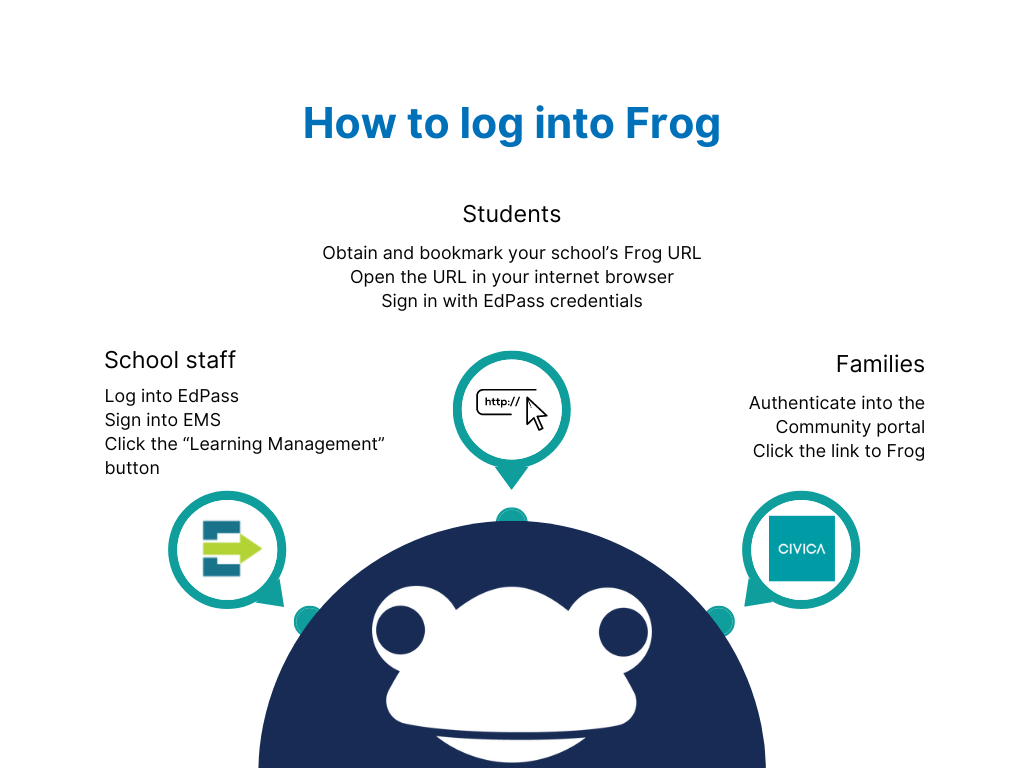
Frog can be accessed in different ways depending on the user type.
Staff
- Staff can access Frog via the Civica Education Suite (CES). This is the recommended way to access Frog as a staff member. If a user has their permission settings set correctly in CES, a Learning Management tab will appear in the left hand column of your Home page.
- Frog can be accessed directly using your site's Frog URL, e.g. abc-12345.frog.civica.education.
Student
- Frog can be accessed directly using your site's Frog URL, e.g. abc-12345.frog.civica.education.
- You will be presented with a login splash screen, click 'student'
- You can then sign in with EdPass credentials
Parents/Caregivers
- Frog must be accessed through the Community Portal, which must first be activated by the school in CES
- Once a parent/caregiver has authenticated into the Community portal, a link will be provided to direct the parent/caregiver to Frog.
- The Parent/Caregiver will only need to know their Community Portal email and password in order to log into Frog.
- More information can be found here.