












Back to All Guides
GET IN TOUCH
If you would like to get further information about Frog or help in getting it set up in your school please get in touch via the contact details below...
hello@frogeducation.com
EdPass Portal
Administrators from sites can request to integrate their preschool or school's Frog platform with the DfE EdPass portal. Enabling this feature requires a request to be made in edIT.
EdPass Portal
To enable the EdPass/Frog integration, sites need to complete the EdPass application form located in edIT. To access this form, select here.
The request will need to contain:
- Frog URL - This is located within the web address bar of your Frog environment e.g. abc12345.frog.civica.education/app/os
- School name
- 4 digit school code
- Environment - Production.
Once enabled, the EdPass portal integration will allow staff and students to sign in EdPass and launch Frog without additional authentication. As each preschool and school have thier own Frog environment, Frog will not automatically appear as a tile within you EdPass. We recommend adding your Frog environment as a bookmark within your most commonly used browser(s). Or alternatively, follow the instructions below to add the link to your EdPass.
Add a bookmark to your EdPass
- In EdPass, select the Add apps option on the left hand side of the screen
- In the search the app catalog field, type in some random letters e.g.: "gfds"
- This launches the Add a bookmark instead field
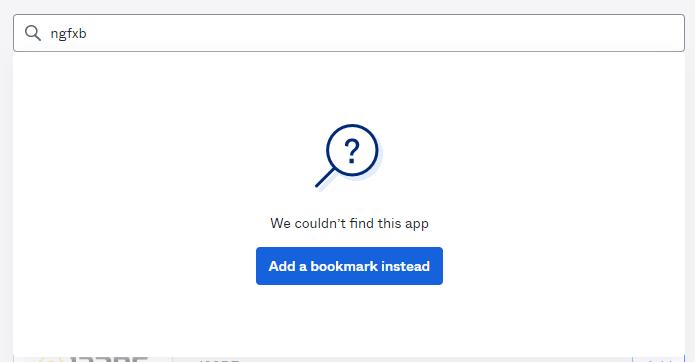
- Copy and paste your school's Frog URL and give it a name. Select 'Add bookmark'.