Back to All Guides
GET IN TOUCH
If you would like to get further information about Frog or help in getting it set up in your school please get in touch via the contact details below...
hello@frogeducation.com
Site Icons
How to...? guide on site icons in Frog.
Site Icons
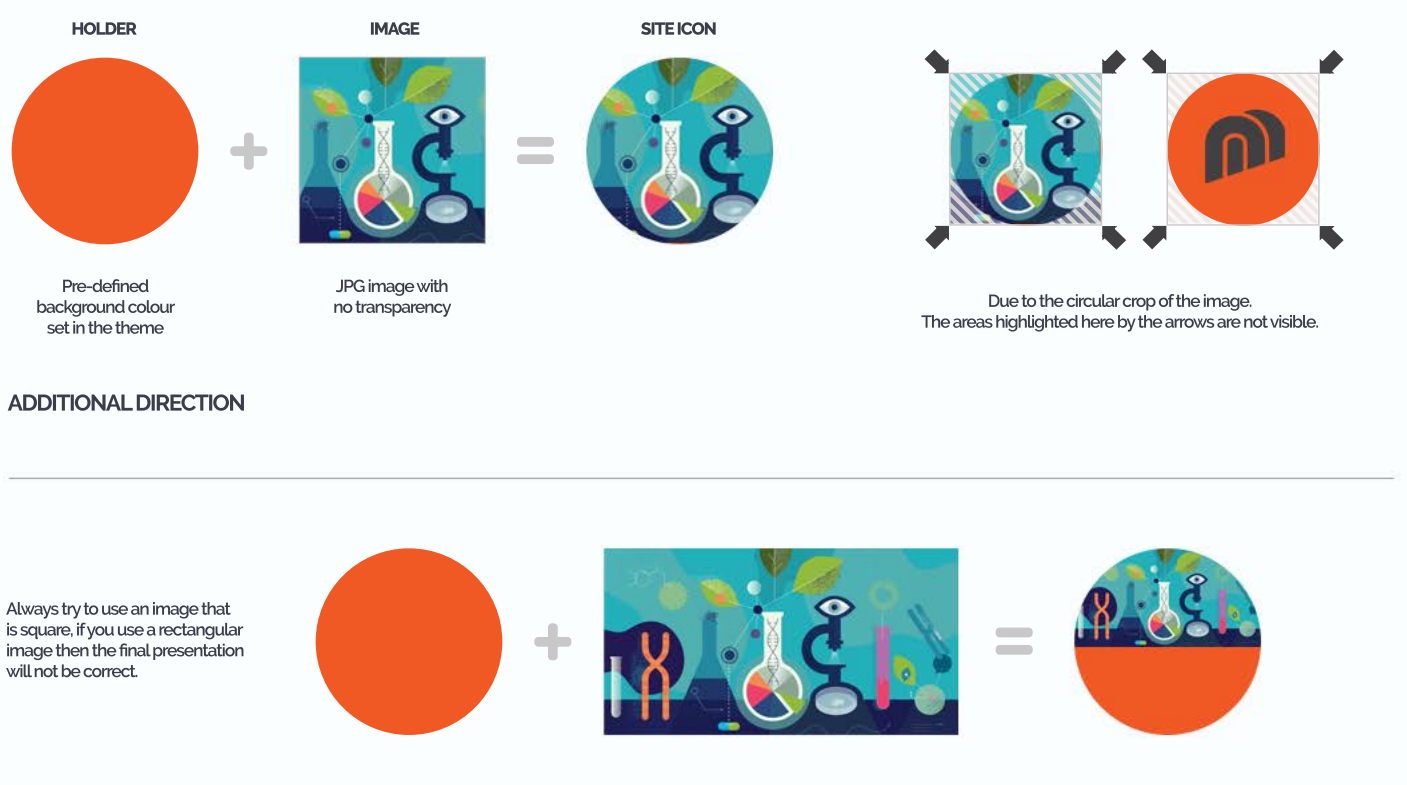
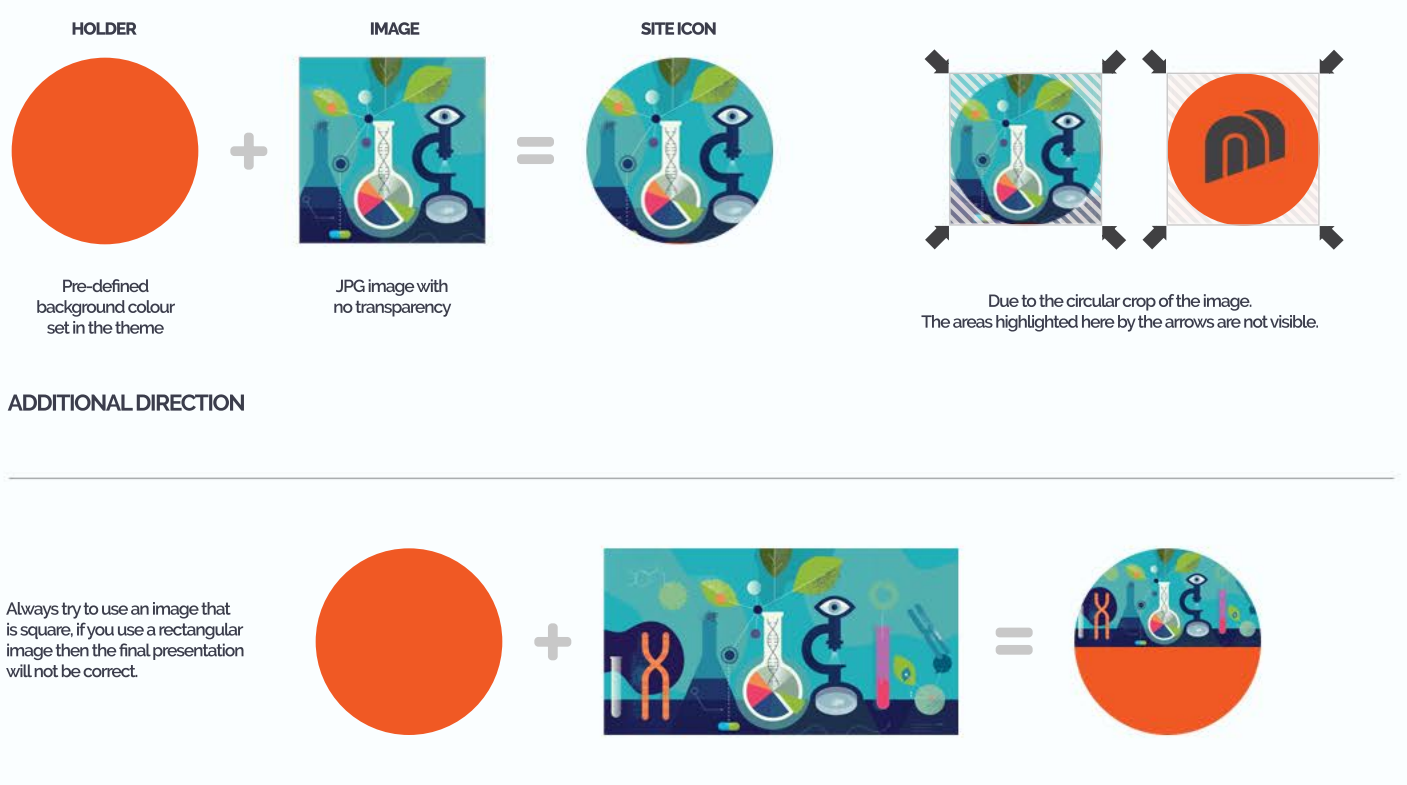
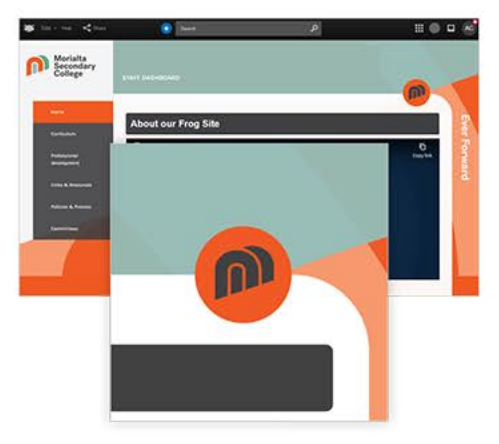
Many Frog site themes in the Frog platform incorporate the ‘Site icon’ as part of the layout. The ‘Site icon’ adds to the identity of the Frog site when viewed in FrogDrive and continues this association once the Frog site has been opened.
Following the guidance outlined in this document your ‘Site icon’ will appear correctly in all locations where it is presented.
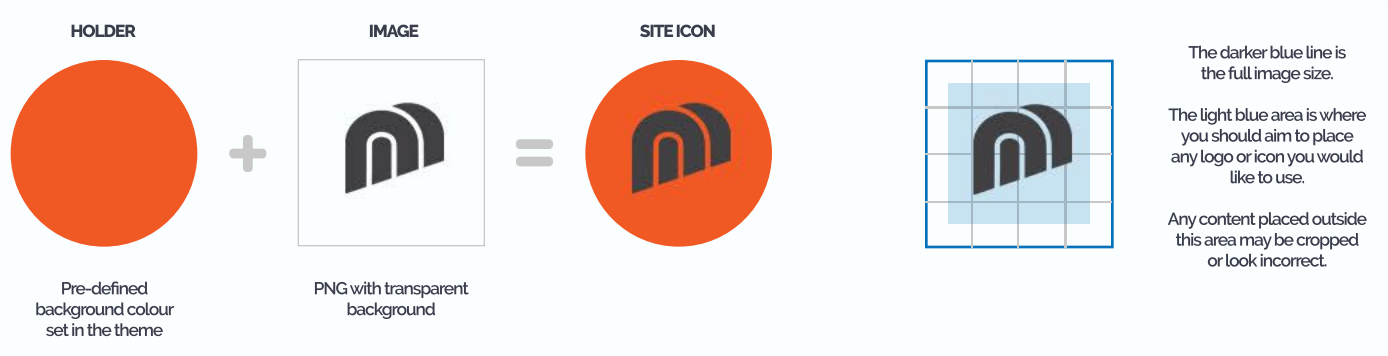
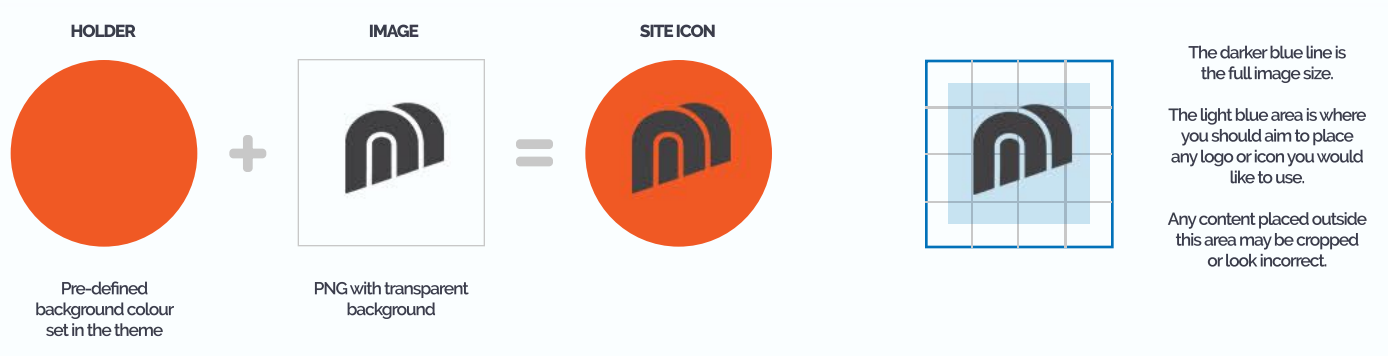
Useful tip... Always make sure to leave enough space around your icon or logo to ensure it sits nicely in the middle of the holder with a good gap between the image and the edges.