












Whether you're checking your upcoming rota, getting ready for an exam or looking for guidance on the day, you'll find the information you need on Frog’s Exam Invigilator Portal.
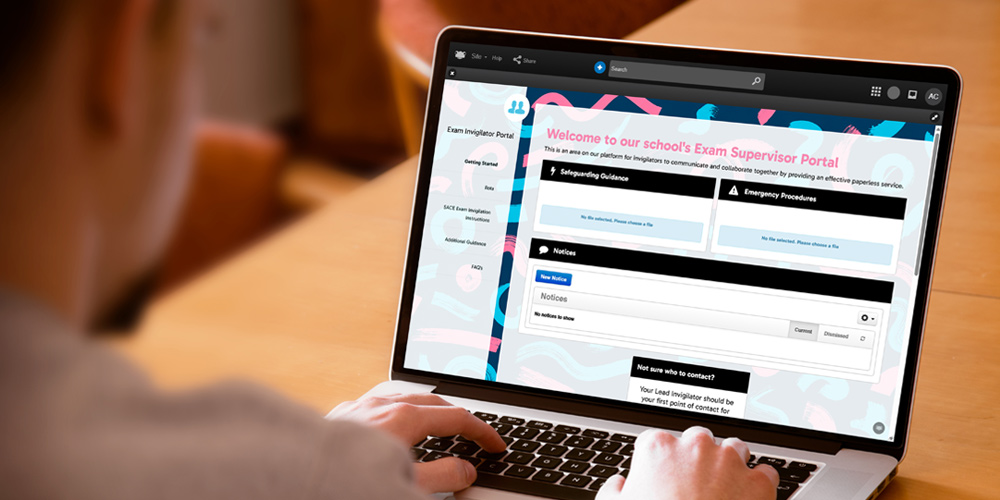
Built to work around your school, the portal is fully customisable. Add your own guidance and resources, structure it around your processes and give it your own school branding, language, look and feel.
 Your Schedule
-
Your Rota
View your allocated invigilation sessions, including dates, times and locations.
 Exam Day
-
Essential SACE Exam Invigilator Instructions
Everything you need to know about your role as an exam invigilator, including what to do before, during and after an examination. -
Special Provisions
Guidance on supporting students with approved examination arrangements and adjustments. -
Electronic-Exams/E-Exams
Information and guidance for invigilating electronic examinations. -
Permitted Equipment
Equipment allowed can vary by examination. Always check the relevant Day-by-Day Examination Instructions before the exam to confirm what students can use.
 Support
-
FAQs
Quick answers to some of the most common questions about invigilation. -
Key Contacts
Who to contact if you need help, have a question or need to report an issue during an examination.
Find it in FrogStore
Find the Exam Invigilator Portal in FrogStore and add it to your Frog platform.