












The Lost Property Frog Site Template is designed to help schools manage lost and found items efficiently, ensuring students can reconnect with their belongings quickly.

 Snap & Share
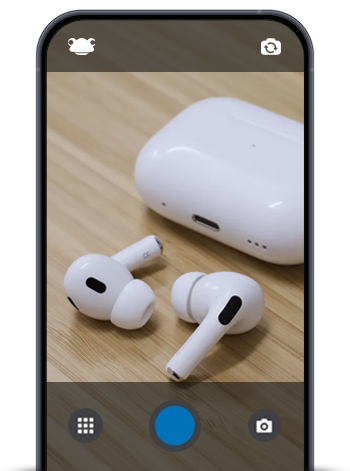
With FrogSnap, staff can take a quick photo of lost items including bags, jackets, lunchboxes or other personal belongings and upload them directly to the site. Once uploaded, the Site Timeline displays the items in chronological order, making it easy for students, parents and caregivers to browse and identify missing items.
 Why It Works
This approach saves time for office staff, reduces classroom interruptions and ensures students don’t lose essential items. It also provides a clear, accessible way for parents and caregivers to check for lost belongings without needing to visit the school in person.
 Customisable Template
The Lost Property Frog Site Template is fully customisable. Schools can adjust branding, layout and features to suit their needs. Whether you want to highlight urgent items or create categories for different types of belongings, the template is flexible and easy to manage.
Tools Included
-
Site Timeline: Displays lost items in order and allows for easy browsing.
-
Gallery: Organise items visually for quick identification.
-
Announcements Link: Keep the school community informed about lost property updates.
-
FrogSnap: Capture and upload items quickly, directly from a mobile device.
By using the Lost Property Frog Site, schools can make the process of managing lost items simple, efficient, and stress-free for staff, students, parents and caregivers alike.
For more information on the FrogSnap app visit edIT - Frog - FrogSnap app